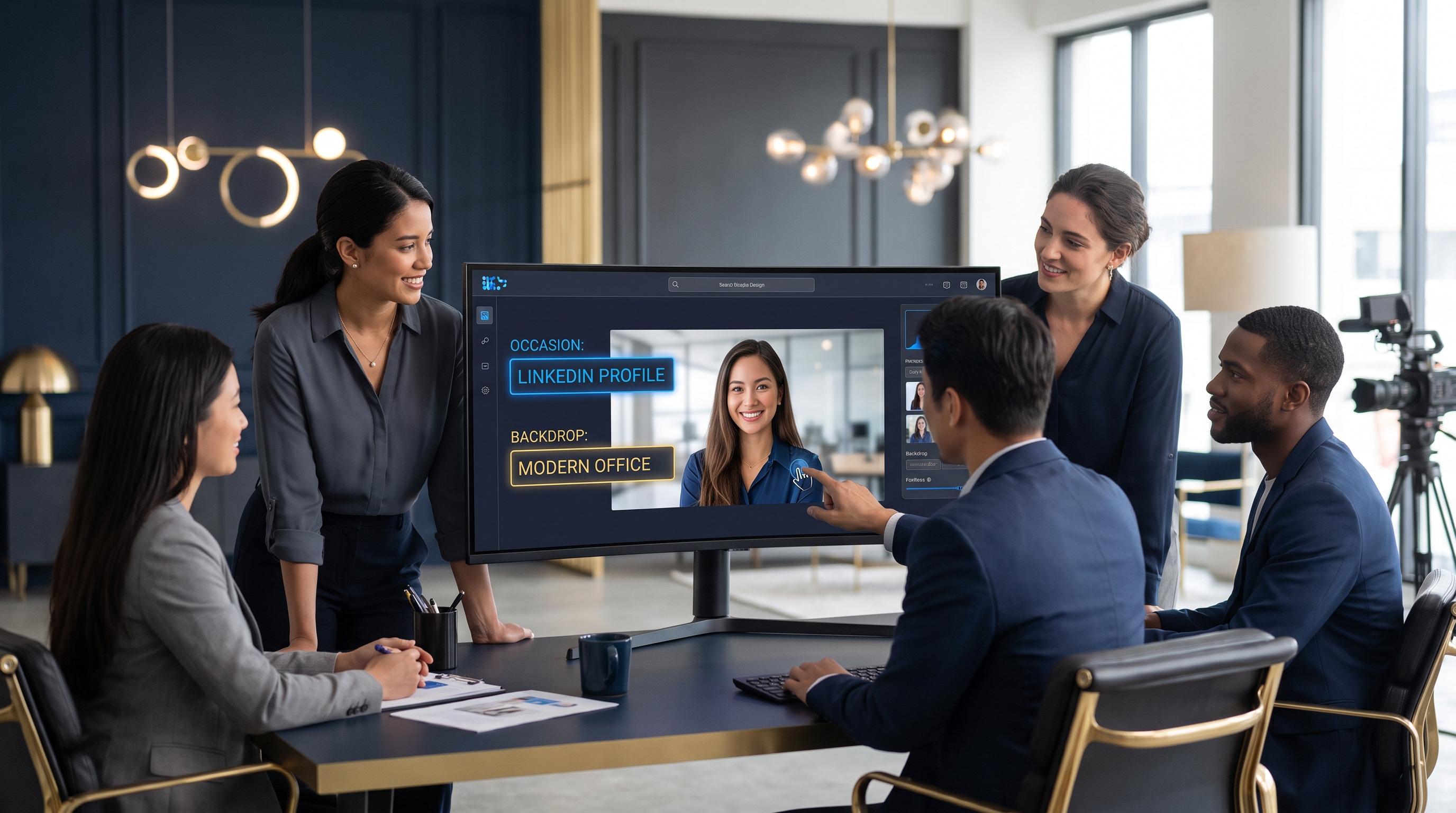
Here's the awkward math: a traditional studio headshot session runs $150 to $500, takes half a day, and produces images that feel stale within a year as your brand, hairstyle, or role evolves. For a five-person team that needs consistent portraits, that's a real line item and a scheduling headache.
This article is for the people who feel that friction — solo consultants, agency owners, recruiters, e-commerce sellers, and anyone managing a team's online presence. We'll walk through what the Photography Studio inside Prime AI Team actually does, the business outcomes it unlocks, and — importantly — when you should chat with your AI team (Julian and Aria) versus just opening the studio and getting to work.
Who This Is Actually For
Let's be specific, because "everyone needs a good photo" is the kind of vague claim that helps no one.
You'll get the most out of Photography Studio if you're:
- A freelancer or solopreneur who needs portraits across LinkedIn, a personal website, podcast guesting, and speaker bios — and can't justify a studio session every quarter.
- A small team or agency that wants visual consistency. Mismatched headshots (one shot in a sunlit kitchen, one against a beige wall, one clearly a cropped party photo) quietly signal disorganization.
- A recruiter or coach who builds trust through their face and needs occasion-appropriate looks: a warm, approachable shot for client work and a sharp, corporate one for enterprise pitches.
- An e-commerce or content creator who needs frequent fresh imagery for thumbnails, "about" pages, and social posts without booking a photographer every time.
If you're a high-fashion editorial brand shooting a national campaign, you still want a licensed photographer and a stylist. We'll be honest about those limits later. But for the 90% of professional portrait needs that are about looking credible and current, this is built for you.
Why This Problem Matters More Than It Used To
Your face is now infrastructure. That sounds dramatic until you count the surfaces: LinkedIn, your company's team page, a Slack or directory avatar, conference speaker pages, guest-post bylines, sales decks, Calendly booking pages, and the little circle next to every comment you leave.
A decade ago, one good headshot lasted years. Today, the contexts multiply faster than you can keep up. A photo that works for a buttoned-up financial services pitch looks oddly formal on a creative agency's playful team page. The reverse is true, too.
There's also the trust dimension. Remote work means most first impressions happen through a screen. Buyers research you before a call. Candidates judge your company by its team page. A consistent, professional portrait does quiet, compounding work — it tells people you're real, you're current, and you care about details.
And here's the part that traditional studios can't solve: speed and iteration. You shouldn't need to predict, six months out, every backdrop and occasion you'll need. You need a way to generate the right portrait when the need shows up — a last-minute speaker spot, a rebrand, a new role that calls for a different vibe. That on-demand flexibility is the real shift, and it's where an AI team approach changes the economics entirely.
How the Photography Studio Works: A Simple Framework
The studio is deliberately uncomplicated. The goal is to get you from "I need a portrait" to "ready to post or print" in minutes, not days. Here's the flow.
Step 1: Upload a photo of yourself
Start with one clear photo. It doesn't need to be a professional shot — a well-lit phone selfie facing the camera works fine. The system uses it to understand your features so the generated portraits actually look like you, not a stranger who vaguely resembles you.
Tip: Use a recent photo with even lighting and your face clearly visible. Avoid heavy filters, sunglasses, or group shots where you'd have to crop tightly.
Step 2: Pick the occasion
This is where intent comes in. "Occasion" shapes everything downstream — wardrobe, expression, formality. Common picks:
- Corporate / executive — sharp blazer, confident expression, the LinkedIn-ready classic.
- Creative / casual — relaxed styling for agencies, creators, and approachable brands.
- Speaker / conference — polished but warm, the kind of shot that looks right on an event page.
- Personal brand — flexible, on-trend looks for coaches, consultants, and founders.
Step 3: Choose your backdrop
Backdrops set the tone instantly. A clean studio gradient reads professional and timeless. A blurred office suggests competence and context. A neutral textured wall feels modern and editorial. Pick the one that matches where the portrait will live.
Step 4: Generate in 2K or 4K
The studio outputs high-resolution portraits — 2K for digital use (web, social, avatars) and 4K when you need print quality (business cards, event banners, press kits). You get options to choose from, not a single take-it-or-leave-it image.
The whole point: you control occasion and backdrop, and you get usable, high-res results without a booking, a commute, or a wardrobe panic.
Where Julian & Aria Come In (Your AI Team)
This is the part that separates a tool from an AI team. A tool waits for you to push buttons. Prime AI Team gives you Julian and Aria — AI agents who help you make better decisions before you generate, and who route you to the right place when you're unsure.
Think of it as the difference between a vending machine and a knowledgeable studio assistant.
When to chat with Julian & Aria
Talk to them first when the question is about strategy or judgment:
- "What look fits my industry?" If you're not sure whether a financial advisor should go corporate-formal or approachable-warm, Julian and Aria can talk through your audience and goals before you commit to settings.
- "I need consistency across my team." Describe your team's brand and they'll help you define a repeatable recipe — same backdrop, same formality, same crop — so eight people's portraits look like they belong together.
- "Which photo of mine should I upload?" Not sure if your source image is good enough? Ask. They'll tell you what makes a strong input.
- "What do I need for this specific use?" Speaker page versus press kit versus avatar — each has different ideal dimensions and styling. They help you match output to purpose.
When to just open the studio
Skip the conversation and go straight in when you already know what you want:
- You need a standard LinkedIn headshot and you've done this before.
- You're regenerating a portrait you liked with a small tweak.
- You're producing a batch with settings you've already dialed in.
The honest version: chat when you're deciding what to make; open the studio when you already know how. Julian and Aria reduce the "I generated 40 images and none feel right" spiral by helping you choose well upfront. That's the real value of an AI team — guidance plus execution, not just execution.
Three Real-World Scenarios
Abstract benefits are forgettable. Here's how this plays out for actual small businesses and freelancers.
The solo consultant rebranding mid-career
A management consultant we'll call Dana spent eight years in corporate finance and was pivoting to independent advisory work. Her old headshot screamed "junior associate." She didn't have time to book a studio between client calls. She uploaded a recent photo, chatted briefly with Julian about whether to lean executive or approachable (verdict: warm-executive, since she sells trust to founders), and generated a set of corporate portraits against a soft studio backdrop. She had a new LinkedIn banner, website, and Calendly photo live within an afternoon — for the price of a coffee, not a half-day shoot.
The five-person agency with a chaotic team page
A boutique creative agency had a team page that looked like a ransom note: five photos, five lighting conditions, two of them clearly cropped from holiday parties. The founder used Photography Studio to standardize everyone on the same creative-casual occasion and identical neutral backdrop. Aria helped define the recipe so each team member could generate their own portrait independently and still match. The page went from "scrappy" to "intentional" overnight, and they used the same recipe when a sixth hire joined two months later — no reshoot, no inconsistency.
The recruiter who needs two faces
A technical recruiter needed one approachable portrait for engaging candidates and a sharper, corporate one for enterprise client decks. Booking two studio sessions for two vibes is absurd. She generated both from a single source photo by changing the occasion and backdrop. Same person, two contexts, fifteen minutes. She now refreshes them seasonally as her wardrobe and brand evolve — something a one-time studio session can't offer.
What Most Tools (and People) Get Wrong
The portrait space is full of avoidable mistakes. Here are the ones that quietly sabotage results.
Mistake 1: Uploading a bad source photo. Garbage in, garbage out. A dim, low-res, or heavily filtered selfie gives the system less to work with, and the output drifts further from looking like you. Use a clear, well-lit, recent photo facing forward. This single choice matters more than any setting.
Mistake 2: Picking the wrong occasion for the audience. A lot of people default to "corporate formal" because it feels safe. But if you run a playful design studio, that stiff blazer shot reads as off-brand. Match the occasion to who's looking and where the photo lives, not to what feels prestigious in the abstract. This is exactly the call Julian and Aria are good at helping with.
Mistake 3: Inconsistency across surfaces. Using a corporate headshot on LinkedIn, a casual selfie on Slack, and a third style on your website fragments your identity. Pick a primary portrait and use it everywhere people verify who you are. Save the alternates for genuinely different contexts.
Mistake 4: Treating it as one-and-done. Your role, brand, and hairstyle change. The advantage of a studio you can reopen anytime is iteration. Refresh your portrait when something meaningful shifts — a promotion, a rebrand, a new vertical. The fact that it's fast and affordable is precisely what makes regular refreshes realistic.
Mistake 5: Skipping the human gut-check. Generate options, then actually look at them with fresh eyes — or ask a colleague. Does this look like you on your best, most credible day? If something feels off, it usually is. Trust that instinct and regenerate.
Being Honest About the Limits
An AI team is powerful, but it's not magic, and pretending otherwise does you a disservice.
When you still want a licensed professional photographer:
- Major brand campaigns with art direction, multiple models, and specific creative concepts.
- Full-body or environmental shoots that need a real location, props, or precise staging.
- Legal or credentialing photos that require strict specifications — certain visas, government IDs, or regulated professions may mandate unaltered photographs taken under controlled conditions. Always follow the issuing authority's rules.
On authenticity and ethics: Generated portraits should still look like the real you. The goal is a polished, professional version of yourself — not a fabricated person or a misleading representation. For anything where the photo serves as identity verification, use a genuine photograph and check the requirements first.
On review: Even great output benefits from a human eye. Treat the generated set as drafts to choose from, not a final answer to accept blindly. The studio gets you 95% of the way fast; your judgment closes the last 5%.
Being clear about these boundaries is part of why teams trust Prime AI Team — it's a force multiplier for the everyday portrait work, not a replacement for specialized professional photography when the stakes genuinely call for it.
What To Do This Week: A Quick Checklist
If you want to put this into practice, here's a tight action plan:
- Audit your current portraits. List every place your photo appears — LinkedIn, website, Slack, decks, bylines. Note the inconsistencies.
- Find your best source photo. Recent, well-lit, facing forward, no heavy filters. Take a fresh one if needed.
- Decide your primary occasion. Match it to your main audience. Unsure? Chat with Julian and Aria first.
- Generate a set in 2K for digital, and 4K for anything headed to print.
- Update your top three surfaces first — LinkedIn, website, and whatever people see before a sales or hiring conversation.
- Save your recipe so refreshes and teammate portraits stay consistent.
Frequently Asked Questions
Will the portraits actually look like me?
Yes — when you give the system a good starting point. The output is built from the photo you upload, so the quality and clarity of your source image directly shape how accurately the portraits resemble you. Use a recent, well-lit photo where your face is clearly visible and facing the camera. Avoid sunglasses, heavy filters, or tightly cropped group shots. If you're unsure whether your photo is strong enough, Julian and Aria can review what makes a good input before you generate, which saves you from disappointing results and wasted regenerations.
What's the difference between the 2K and 4K outputs?
It comes down to where the portrait will live. 2K resolution is ideal for digital surfaces — LinkedIn, your website, Slack avatars, social media, and email signatures, where higher resolution would just be wasted file size. 4K resolution gives you the detail needed for print: business cards, event banners, press kits, and physical marketing materials where pixelation would be obvious. A simple rule: if it stays on a screen, 2K is plenty; if it gets printed at any meaningful size, choose 4K. You can generate both from the same session.
When should I chat with Julian & Aria instead of just opening the studio?
Chat with them when the question is about judgment, not buttons. If you're unsure which occasion suits your industry, how to keep a team's portraits consistent, which source photo to use, or what dimensions a specific use case needs, start with a conversation. They help you decide what to make so you don't burn time generating options that miss the mark. Open the studio directly when you already know exactly what you want — a standard headshot, a quick refresh, or a batch with settings you've used before. Strategy first, execution second.
Can I use these portraits for my whole team?
Absolutely, and that's one of the strongest use cases. The trick is consistency. Define a repeatable recipe — same occasion, same backdrop, same crop and formality — and have each team member generate their own portrait from their own source photo using those settings. Aria can help you lock in that recipe so everyone's results look like they belong on the same team page, even when people generate independently or join later. This solves the classic small-business problem of a team page that looks like five different photographers shot it on five different days.
Is this a replacement for a professional photographer?
For everyday professional portraits — headshots, team pages, speaker bios, avatars — it replaces most of the need, and does it faster and cheaper. But it's not a replacement for everything. Major brand campaigns with art direction, full-body or location shoots, and regulated identity photos (some IDs, visas, or credentials) still call for a licensed photographer and, sometimes, genuine unaltered photographs. The honest framing: it covers the high-frequency, high-friction portrait needs brilliantly, and frees your budget and time for the rare cases where a specialized shoot genuinely matters.
The Bottom Line
Your portrait isn't vanity — it's the most-viewed asset in your professional life, and it's doing trust-building work whether you've thought about it or not. The old model of booking a studio, blocking out a morning, and hoping the result lasts a year no longer fits how fast roles, brands, and contexts change.
The Photography Studio inside Prime AI Team flips that. Upload one good photo, pick the occasion and backdrop, and walk away with high-resolution portraits ready to post or print — in minutes, on your schedule, as often as your work demands. And because you've got an AI team in Julian and Aria, you're not guessing alone: chat when you need direction, open the studio when you're ready to execute.
Start with your most-seen surface, get one portrait you're genuinely proud of, and build from there.
Try Photography Studio — it's the natural next step after that profile audit you just did in your head.